
Restock Commander
Smart restocking with a polished in-game app for game 1.07! Plan orders, restock from anywhere with Ctrl+F7, empty any shop cart with Backspace, track inventory and refill Shop Shelves and Warehouse automatically. 14 languages, RTCGO 1.0.5
NexusMods status
- Downloads3402
Smart Restocking & Warehouse Automation for TCG Card Shop Simulator
Stop counting boxes. Stop guessing what to order.
Restock Commander tracks your stock, prepares smarter orders, and helps keep your shop and warehouse stocked.
From a simple restock hotkey to a complete in-game control center — spend less time managing boxes and more time running your store.
CURRENT PUBLIC VERSION: 0.6.3 — 14 languages, one-key cart clearing & cleaner storing
Need help or want update pings? Join the Discord for support tickets, bug reports and automatic update notifications.
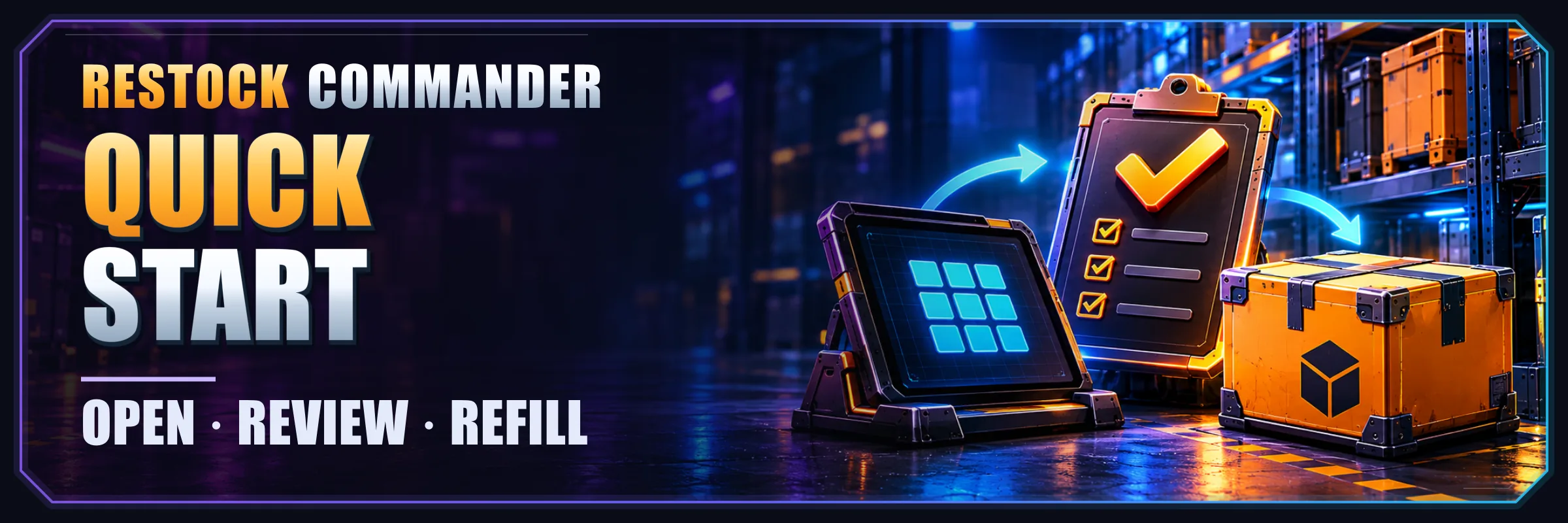
1 — OPEN & RESTOCK
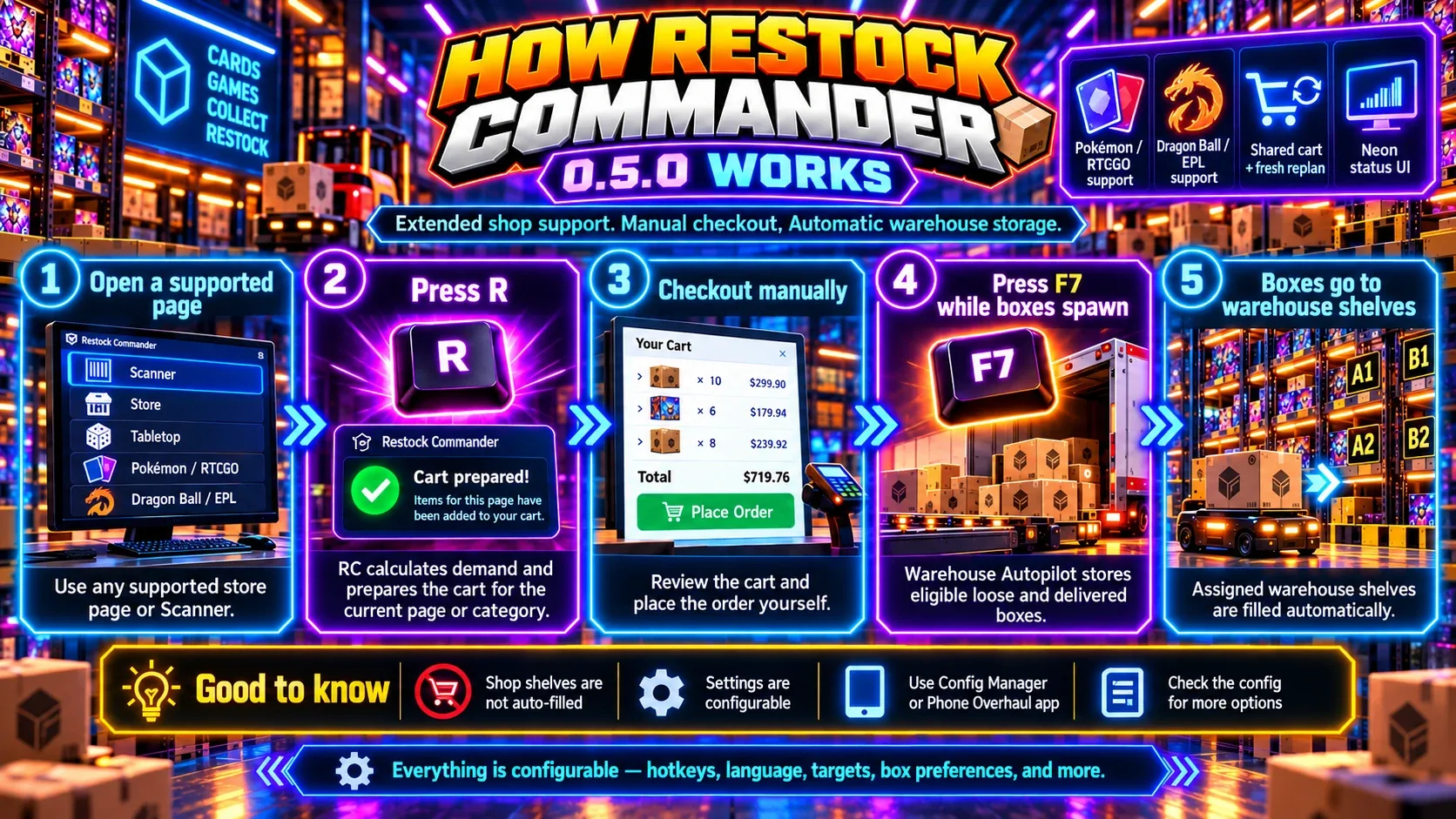
Press F6 to open the Restock Commander app and select Restock Now.
You can also press R on a supported ordering screen to prepare a fresh restock order.
Since 0.6.2: press Ctrl + F7 anywhere in your shop. Price and cartons appear at the top of the screen; press Ctrl + F7 again to buy, or Backspace to cancel. The delivery is stored automatically.
New in 0.6.3: press Backspace in any supported shop to empty its whole cart in one go: the game shop, Scanner, RTCGO, Purchase Overhaul and custom EPL shops. Nothing is bought, and typing in a search field is never affected.
Restock Commander checks what you already have, what's on its way, and what your assigned Shop and Warehouse targets actually need. Partly filled warehouse slots are topped up to your target.
2 — REVIEW & CHECKOUT
Review the products, cartons, prices and total before confirming your purchase.
Manual purchase confirmation is the default.
Want fewer clicks? Enable optional One-click Purchase (Auto Checkout) in Settings.
Important: Auto Checkout starts OFF. When enabled, supported hotkey orders and existing cart items may also be purchased automatically. Always review your cart before enabling it.
Changed your mind? If you don't pay, the cart prepared by Restock Commander resets itself after about 60 seconds. Only the quantities RC added are removed — your own cart items stay.
3 — REFILL & STORE
Press F7 to start the combined Shop Shelf Refill and Warehouse Autopilot — even while your delivery is still arriving.
Restock Commander refills compatible shop shelves and moves eligible boxes into their assigned warehouse compartments. Your employees pause their restocking while F7 runs and continue automatically afterwards.
Use Safe Stop inside the app if you need to stop an active automation job.
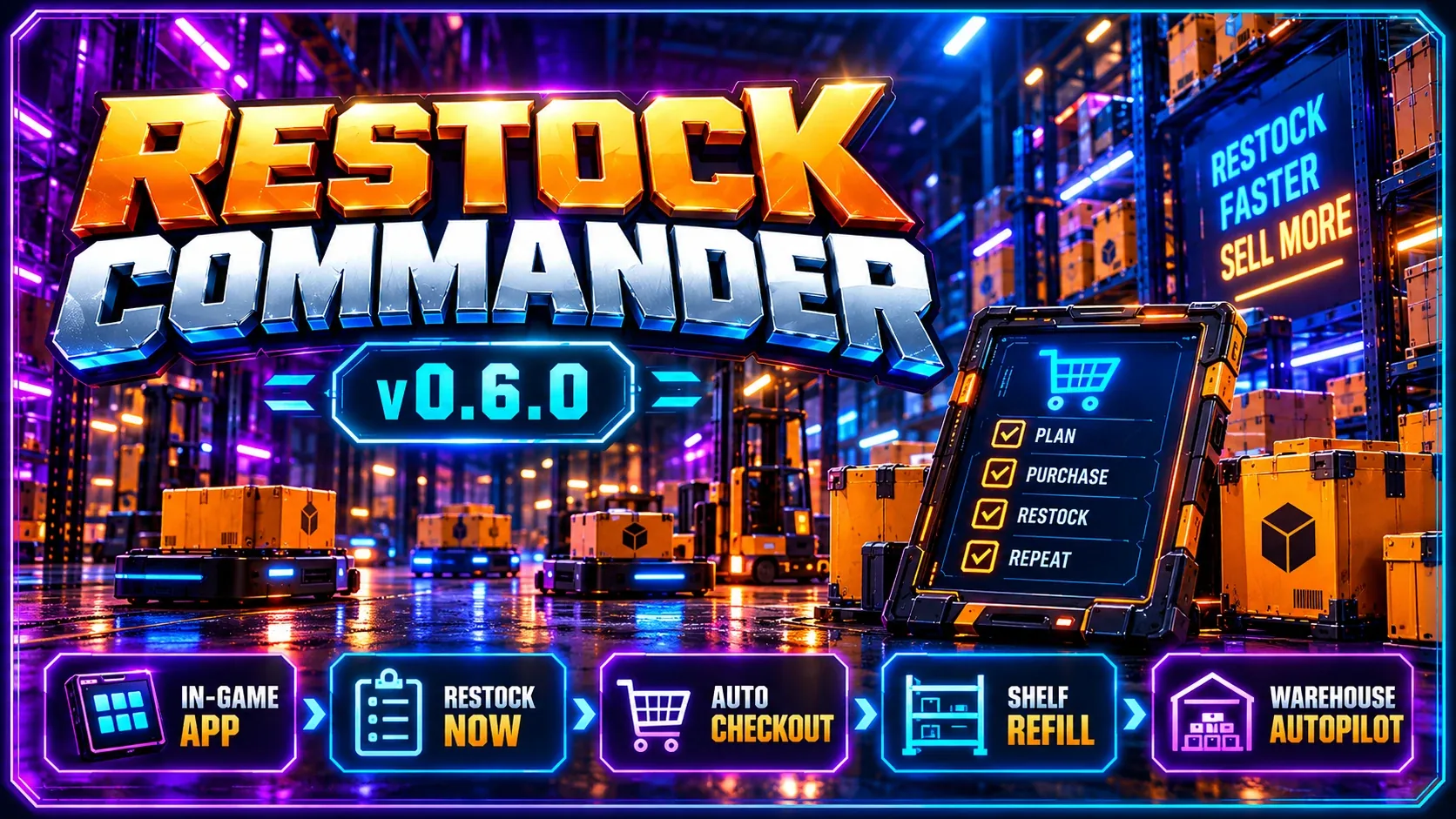
F6 → Restock Now → Review → Confirm → F7. That's the basic workflow!
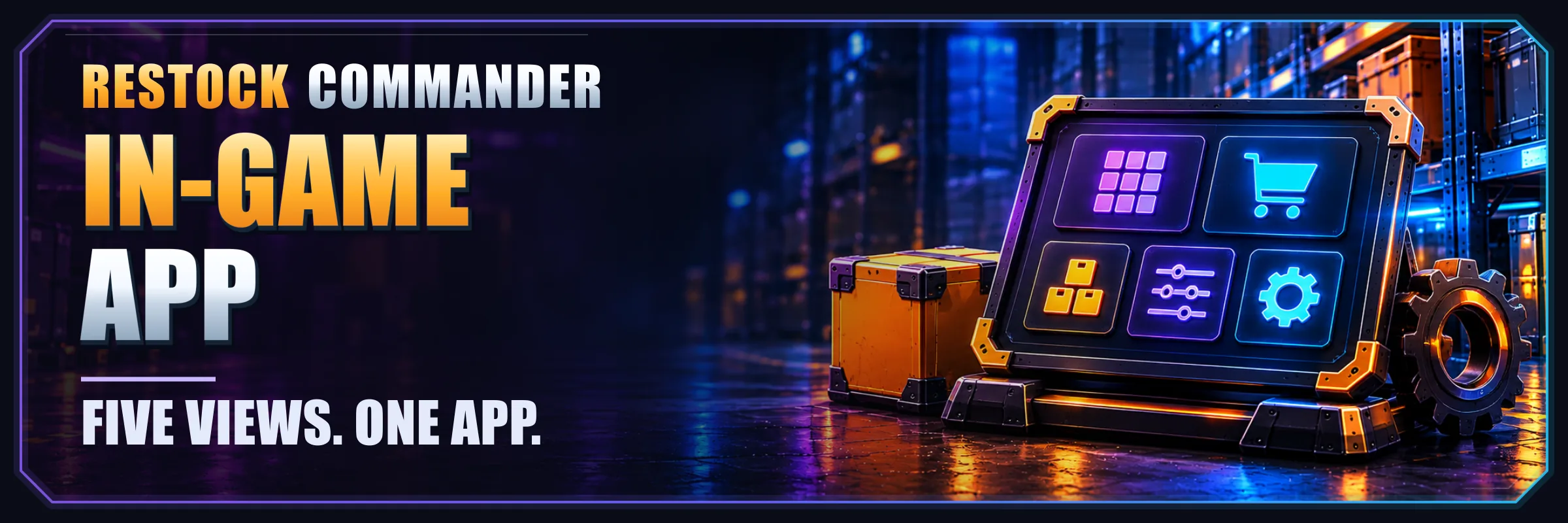
YOUR IN-GAME CONTROL CENTER
Since version 0.6.2 the app is completely redesigned: a cleaner, modern look, smooth animations, live run progress, trends and themes.
Everything is organized into five main sections:
- Dashboard — Live progress for delivery, storage and refill, stock levels, trends and a session summary
- Restock — Prepare, review and confirm orders, with a plan summary and the reason for each product
- Inventory — Filter by sold out, low stock or below target and see shop and warehouse fill for every product
- Automation — Control refill jobs, Safe Stop and supported automation options
- Settings — Customize stock targets, ordering, hotkeys, notifications and much more
The app also includes contextual help, responsive layouts, status messages, the game's own click sounds and support for multiple languages. After an update, a short What's New overview shows the highlights once.
SMART RESTOCK ORDERS
Restock Commander creates a fresh plan from the current game state instead of blindly filling your cart.
It can account for:
- Current Shop Shelf stock
- Assigned Warehouse stock and capacity, including partly filled slots
- Eligible loose and stored boxes
- Compatible quantities already in your cart
- Known incoming deliveries
- Different supported box sizes and packaging
- Configurable targets, budgets and cash reserves
The goal is simple: order what you actually need, without unnecessarily ordering what you already own.
SAFE PLANNING & PURCHASE PROTECTION
If a product or packaging type cannot be identified reliably, Restock Commander does not guess.
Unsupported or ambiguous products are skipped instead of being forced into an order.
Additional safeguards include:
- Purchase review and confirmation
- Optional automatic checkout, disabled by default
- Automatic reset of unpaid RC carts after about 60 seconds
- A large-order confirmation when an order would not fit into your free shop and warehouse space
- Existing-cart and incoming-delivery awareness
- Budget and cash-reserve controls
- Changed-cart and duplicate-purchase protection
- Worker ownership and storage reservation checks
These safeguards apply to supported workflows. Always check your order before purchasing, especially when using third-party mods.
EMPLOYEE FRIENDLY
Restock Commander is designed to work alongside your employees.
While F7 is running, workers pause their restocking so the job can finish in one go, then they continue automatically. Boxes a worker is already carrying are respected rather than taken away.
Compatible partially filled cartons can also be consolidated where supported, helping reduce unnecessary loose boxes.
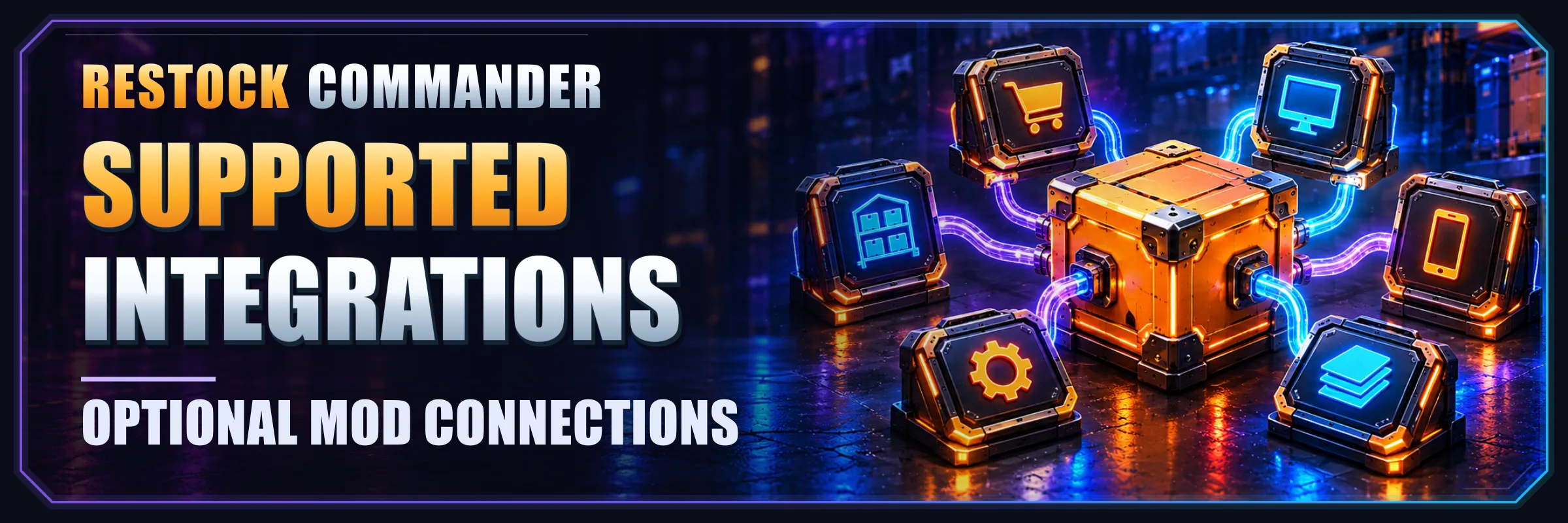
Restock Commander supports optional integrations with other popular TCG Card Shop Simulator mods.
None of these optional integrations are required for normal base-game use.
- Purchase Overhaul — Compatible shop ordering, shared carts and supported incoming deliveries. Optionally stores its checkouts and Auto Restock deliveries automatically. Tested with 1.3.4 on game 1.07
- QOL ShopOS — Open and use the Restock Commander app through ShopOS. Tested with 1.2.1
- Phone Overhaul — Access the shared RC app through the phone interface. Recorded UI tests with 2.2.8
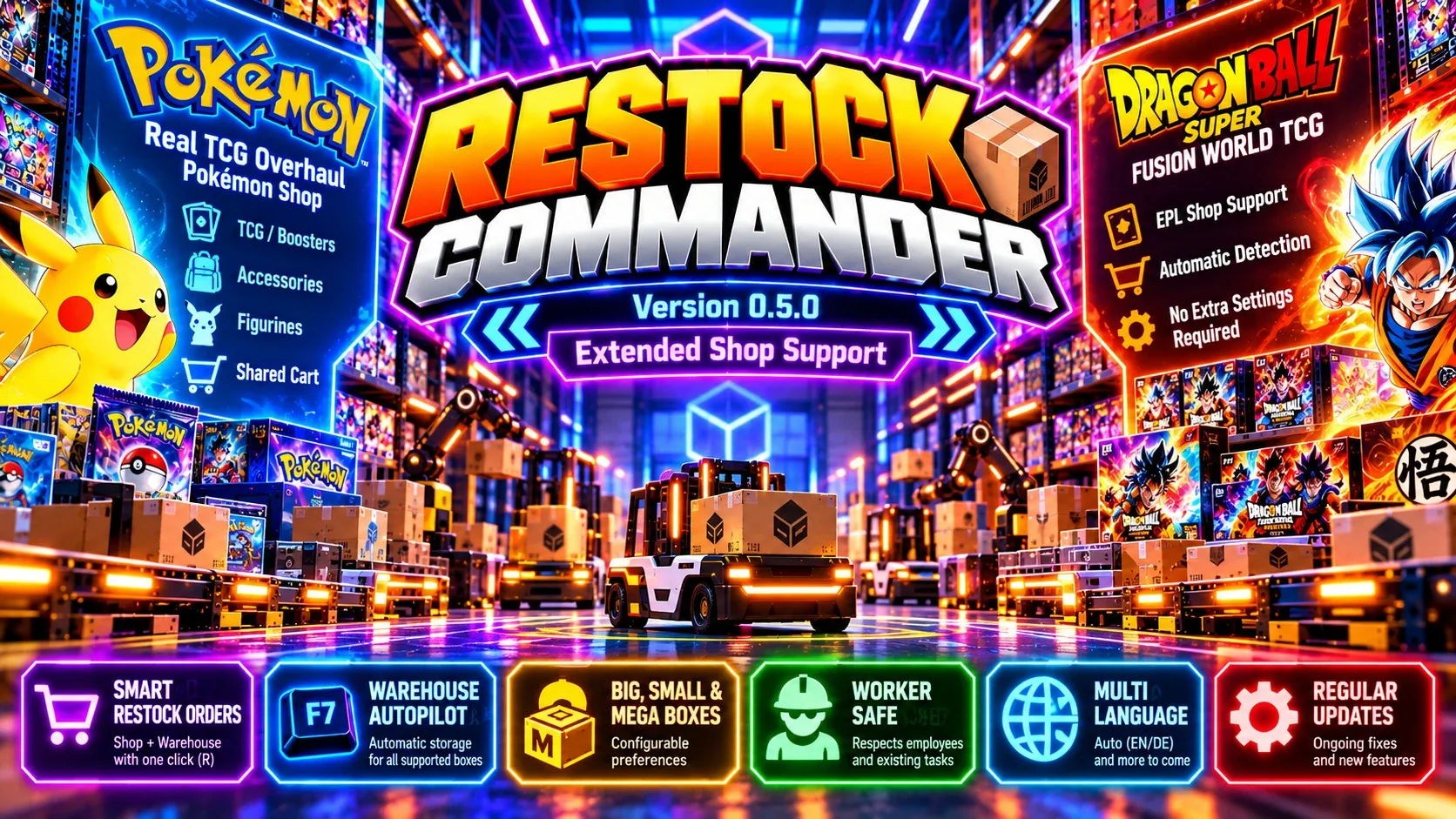
- Pokémon / RTCGO — Compatible Pokémon TCG products, accessories and figurines where product information is supported. RTCGO Shop 1.0.5 tablet shop supported, with near-instant cart filling
- Dragon Ball / EPL — Compatible Dragon Ball and additional EPL shop products. Tested with Enhanced Prefab Loader 6.7.0
- Yu-Gi-Oh — Compatible products with identifiable product and packaging information
- Bigger Storage Shelves — Supports modified warehouse capacity. Tested x4 with 1.0.4 on game 1.07; x8/x16 remain unverified
- Furniture Overhaul — Installed in the 0.6.1–0.6.3 test setup (1.7.10); warehouse storage worked normally alongside it
- Mega Boxes — Recognition tested with 1.4.3 on game 1.02. Currently not working on game 1.06/1.07 because of issues in Mega Boxes itself
- Smart Worker Logistics — Normal workflows recorded with 3.1.0 on game 1.02. Not validated on game 1.06/1.07
Compatibility depends on the installed versions and the data provided by each mod.
Not every product, packaging combination or mod version has been individually tested. Detection alone does not guarantee full compatibility.
Restock Commander does not automatically assign empty warehouse compartments or change another mod's configuration.
SHOP SHELF REFILL & WAREHOUSE AUTOPILOT
One hotkey. Two connected automation systems.
Press F7 to start a combined job that can refill compatible shop shelves and store eligible boxes in assigned Warehouse Shelves.
The automation supports:
- Compatible Shop Shelf Refill using available stock
- Delivered and loose floor boxes, also while a delivery is still arriving
- Assigned Warehouse Shelves and their available capacity
- Supported full and partially filled cartons
- Employee-aware box handling with a worker pause during the job
- Safe reservations and coordinated movements
- Compatible standard and modded packaging
- Configurable movement pacing
If no valid destination is available, the affected box is left alone instead of being forced into the wrong place. Boxes that didn't fit at first are tried again once the shop shelves have been refilled.
Since 0.6.2: The optional Auto Store All Deliveries setting also stores deliveries Restock Commander did not order, for example Purchase Overhaul checkouts and its Auto Restock. The dashboard shows live progress for delivery, storage and refill.
Since 0.6.1: Full support for the new warehouse storage of game 1.07, F7 starts immediately even during a delivery, and workers pause until the job is done.
New in 0.6.3: The storage speed boost now records every carton exactly once, just as fast as before.
Pressing F7 again does not stop a running job. Use Safe Stop in the app instead. Safe Stop does not cancel a purchase or delivery that has already been paid for.
CUSTOMIZATION & LANGUAGES
Fine-tune Restock Commander directly in the app.
Adjust supported stock targets, ordering preferences, automation pacing, hotkeys, notifications and safety options.
Choose your look: the Obsidian theme with five accent colours, or the new Trainer theme in navy, red and yellow. Themes also colour Restock Commander notifications. Click sounds and the What's New overview can be switched on or off.
Reduced Motion is available for RC-controlled movement and animations. It does not control animations from other mods.
Available app languages:
English · Deutsch · Français · Español · Italiano · Português (Brasil) · Nederlands · Русский · 日本語 · 한국어 · 简体中文 · 繁體中文 · ไทย · العربية
Automatic language selection follows the game's language. Hindi is not offered yet; with Hindi selected in the game, the app uses English. Technical diagnostic information remains in English.
TRANSLATIONS
The app translations were created with the help of AI and have not yet been reviewed by native speakers, so some wording may sound odd or unnatural.
Spotted a strange or wrong translation? Please suggest a correction in the #translations channel on our Discord or in the Nexus comments. Include the language, a screenshot or the exact text, and your suggested wording. Every correction makes Restock Commander better for everyone.
CONTROLS
- F6 — Open or close the Restock Commander app
- R — Prepare a fresh restock order on supported ordering screens
- Ctrl + F7 — In-world restock: shows price and cartons at the top, press again to buy
- Backspace — Cancel a prepared in-world restock, or empty the cart of the open shop
- F7 — Start combined Shop Shelf Refill and Warehouse Autopilot
- Safe Stop — Stop an active RC automation job from within the app
- F8 — Create a read-only support snapshot
- Shift + F8 — Export available diagnostic files locally
- F9 — Preview and confirm floor-box cleanup
Important: Floor Cleanup is a separate, potentially destructive feature. Confirmed cleanup can discard cartons and their contents. Always review the preview before confirming.
Existing hotkey bindings are preserved when upgrading. You can review or change them in Settings → Hotkeys.
WHAT'S NEXT?
Restock Commander is my first mod, and there's still plenty I'd love to improve!
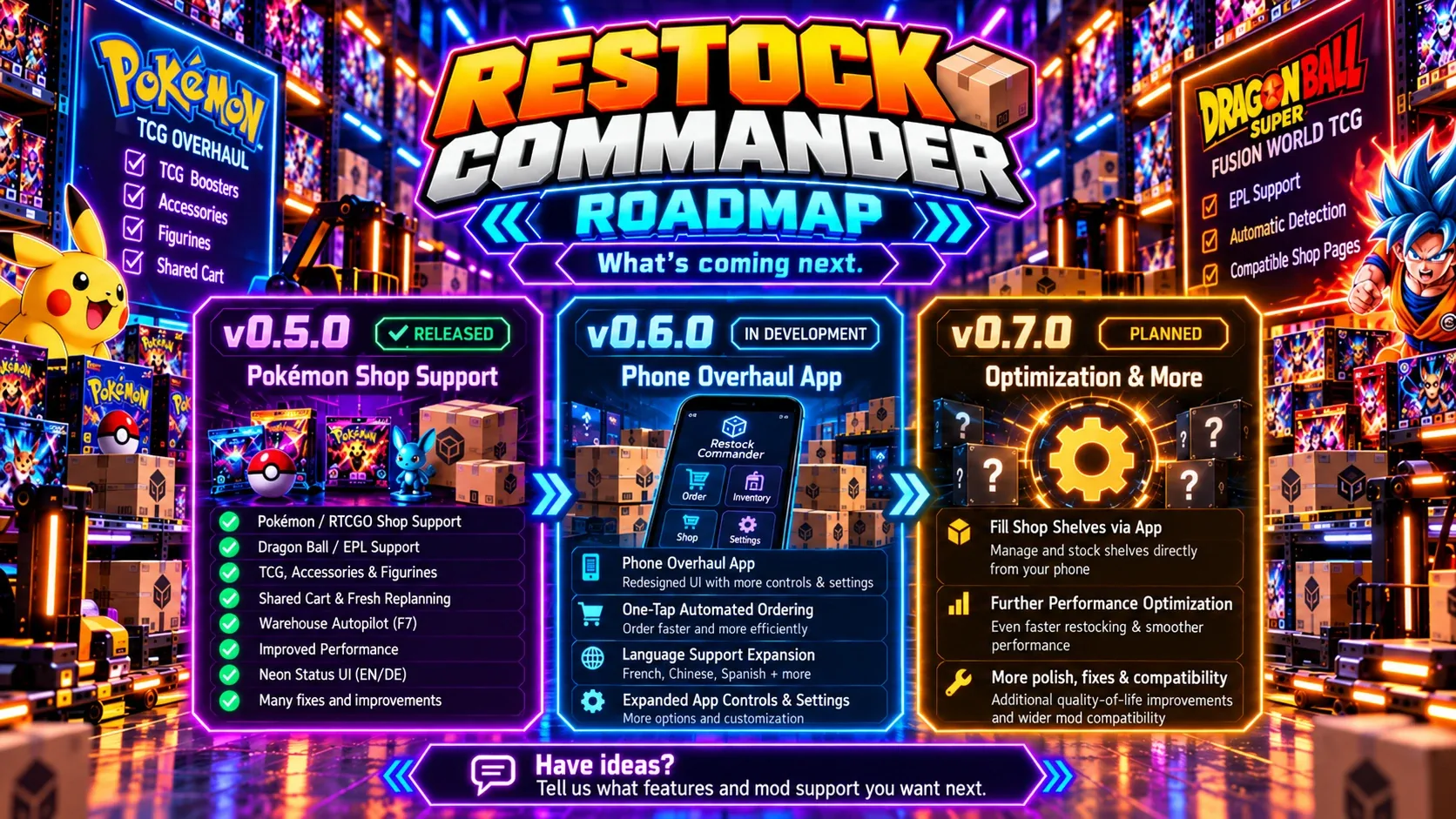
Version 0.6.3 brings 14 languages, one-key cart clearing and cleaner storing, and development doesn't stop here. A big compatibility update for popular mod packs is already being planned.
Future updates will be guided by bug reports, compatibility feedback and your suggestions.
If you have an idea for a new feature, an improvement to the in-game app, or support for another mod, feel free to share it.
Your feedback helps shape the future of Restock Commander. Thank you for all the support! 💜
REQUIREMENTS
- TCG Card Shop Simulator
- BepInEx 5 for TCG Card Shop Simulator
Tested game/loader environment: Game 1.07 / BepInEx 5.
Optional integrations are not included. Install them separately with their required dependencies.
INSTALLATION
Prefer a step-by-step guide? See the install guide on our website.
VORTEX — MAIN DOWNLOAD
Download the main Restock Commander 0.6.3 file through Nexus Mods and install it using Vortex with an appropriate BepInEx plugin installer.
Check that the DLL is deployed to:
BepInEx/plugins/RestockCommander/RestockCommander.dll
Note: The Vortex archive structure was checked, but a complete native Vortex installation has not yet been tested.
MANUAL INSTALLATION — OPTIONAL DOWNLOAD
Download the separate Manual package.
Extract its BepInEx folder into your TCG Card Shop Simulator game directory.
The final DLL location should be:
BepInEx/plugins/RestockCommander/RestockCommander.dll
REAL TCG OVERHAUL MOD MANAGER
The Manual package also works with the Real TCG Overhaul Mod Manager.
Import the archive through Staged → Add Archives, then choose Install or Update.
UPDATING FROM AN OLDER VERSION
- Close the game before updating
- Back up your existing RC DLL and configuration
- Install the new version using your chosen installation method
- Keep only one active RestockCommander.dll
- Keep your existing configuration to preserve your settings
- Review your hotkeys and automation settings after updating
Configuration file:
BepInEx/config/cc.malnik.services.restockcommander.cfg
Do not install both the Vortex and Manual packages at the same time.
If you previously used the old Full Warehouse Restock mod, remove or disable its old DLL to avoid conflicts.
UNINSTALL / ROLLBACK
Close the game and uninstall only Restock Commander through the manager you used, or manually remove its plugin DLL/folder.
To return to an older release, restore your backed-up previous RC DLL and matching configuration.
Do not delete BepInEx, unrelated mods or your game saves.
KNOWN LIMITATIONS
- Full, incompatible or unassigned Warehouse Shelves can prevent storage. RC does not automatically assign unassigned compartments
- Unsupported or ambiguous third-party products are skipped rather than guessed
- 0.6.3 was tested on game 1.07. Game Classic 1.02 was not retested for this version
- Translations are AI-assisted and not yet reviewed by native speakers. Arabic text is shaped correctly, but the app layout stays left-to-right
- The automatic reset of unpaid carts covers the game Scanner and Purchase Overhaul; the RTCGO shop cart is not reset automatically yet
- Mega Boxes and Smart Worker Logistics are not validated on game 1.06/1.07
- Bigger Storage x8/x16, controller/portrait layouts and destructive cleanup edge cases are not fully validated
- A completely optional-mod-free native installation and all possible mod/version combinations have not been separately tested
- Third-party mod updates can require Restock Commander compatibility fixes
Restock Commander reads the game's effective carton limit dynamically rather than assuming a universal fixed 2,000-carton limit.
Supported whole-box packaging may sometimes leave a small amount of unfilled stock.
NEED HELP?
The fastest way to get help is our Discord: open a ticket for a bug report, a compatibility question or anything else, and pick the Update notifications role to get pinged for new versions. Translation corrections are welcome in #translations.
You can also open a Bug Report here on Nexus Mods or leave a comment. Common questions are answered in the FAQ.
The most helpful reports include:
- Game and Restock Commander versions
- What you were trying to do and what went wrong
- Relevant gameplay, shop and warehouse mods with their versions
- Product or box type, if relevant
- Whether employees were working at the time
- A screenshot or short reproduction steps
For more difficult issues:
- Reproduce the issue once
- Press F8 to create a support snapshot
- Use Shift + F8 if additional diagnostic files are needed
- Attach BepInEx/LogOutput.log and the relevant Restock Commander session log, if available
Log files too large for a comment? Upload them for free at Pastebin or GitHub Gist and simply post the link in your Bug Report or comment.
Restock Commander logs are normally located in:
BepInEx/plugins/RestockCommander/logs/
Diagnostic Mode can be enabled temporarily if requested for troubleshooting.
Diagnostic files are stored locally and are not uploaded automatically.
Please review your logs before sharing them. If a purchase result is uncertain, inspect your cart and incoming deliveries before trying again.
CREDITS
Concept inspiration: One Click Restock by Ika / Shady44
Restock Commander was developed independently by Malnik Services with AI-assisted development workflows.
Restock Commander is not affiliated with the authors of supported optional mods.
Enjoying Restock Commander? An endorsement on Nexus Mods is greatly appreciated!
Requirements
- BepInEx Pack for TCG Card Shop Simulator (Required. Restock Commander is a BepInEx 5 plugin; install this pack first.)
Tags
Changelog
0.6.3
LANGUAGES
Restock Commander now speaks 14 languages: added Italian, Brazilian Portuguese, Dutch, Russian, Japanese, Korean, Thai and Arabic. Auto follows the game language; with Hindi selected the app uses English for now.
Translations are AI-assisted and not yet reviewed by native speakers. If a phrase sounds odd, please suggest a correction on Discord (#translations) or in the comments.
Arabic text is shaped correctly and longer texts wrap in the right reading order.
CART
New Clear Cart hotkey (default Backspace): empties the whole cart of the open shop in one go, for the game shop, Scanner, RTCGO, Purchase Overhaul and custom EPL shops. Nothing is bought, and typing in a search field is not affected.
Cancelling a Ctrl+F7 restock now closes its notice immediately.
RTCGO product cards update right after the cart is cleared.
STORAGE
The storage speed boost now records every carton exactly once, just as fast as before.
APP
Settings are laid out in two columns without empty space.
Number settings now use minus and plus buttons with quick picks, like the shop quantity fields, and accept typed values such as 250k or 1m. The cash reserve now goes up to 1,000,000,000.
Switching a setting on or off no longer makes the page flicker.
New, sharper navigation icons with a proper gear for Settings; sidebar labels and the balance are aligned on one line.
Hotkeys are shown the way you press them, for example Ctrl+R and Ctrl+F7.
Redesigned session sales details.
A Discord link in Settings, General and in What's New.
FIXES
Clearing a single carton now says "1 carton".
COMPATIBILITY
Tested on game 1.07 with workers active, together with RTCGO Shop 1.0.5, Purchase Overhaul 1.3.4, QOL ShopOS 1.2.1, Bigger Storage Shelves 1.0.4, Furniture Overhaul 1.7.10 and Enhanced Prefab Loader 6.7.0.
MegaBoxes and Smart Worker Logistics are still not validated on game 1.06/1.07.
0.6.2
IN-WORLD RESTOCK
New In-World Restock hotkey (default Ctrl+F7): plans a restock without opening the app, shows price and cartons at the top of the screen and buys on a second press.
Backspace cancels a prepared in-world order; otherwise its cart resets after about 15 seconds. After purchase the delivery is stored automatically.
AUTOMATION
New option Auto Store All Deliveries: also stores deliveries that were not ordered through Restock Commander, for example Purchase Overhaul checkouts and its Auto Restock. Off by default.
If Purchase Overhaul's Auto Restock is enabled, Restock Commander points out this option once.
RTCGO SHOP
Added support for RTCGO Shop 1.0.5 and its new tablet shop: R fills the RTCGO cart again.
Filling the RTCGO cart is now near-instant instead of stuttering for several seconds on large orders.
REDESIGNED APP
Completely redesigned app with a cleaner, modern look, smooth animations and the game's own click sounds.
Dashboard: live progress for delivery, storage and refill side by side, cartons needed, in cart and on the way at a glance, fill rings, session trends and a session summary.
Inventory: filter chips with live counts and shop and warehouse fill for every product.
Restock: plan summary and an order plan sorted by cartons, including the reason for each product.
New product detail view.
CUSTOMIZATION
New themes: Obsidian (default) with five accent colours, and the new Trainer theme in navy, red and yellow. Themes also colour Restock Commander notifications.
Click sounds can be switched off.
A short What's New overview appears once after each update and can be reopened under Settings, General.
FIXES
The current balance shows thousands separators.
After a safe stop the status reads Ready instead of Stopped safely.
COMPATIBILITY
Tested with game 1.07, RTCGO Shop 1.0.5, Purchase Overhaul 1.3.4, QOL ShopOS 1.2.1, Phone Overhaul 2.2.8, Bigger Storage Shelves 1.0.4 (x4), Furniture Overhaul 1.7.10 and Enhanced Prefab Loader 6.7.0, with workers active.
MegaBoxes and Smart Worker Logistics are still not validated on game 1.06/1.07.
Various stability and performance improvements.
0.6.1
GAME 1.07 COMPATIBILITY
Added support for the new warehouse storage system introduced with game versions 1.06/1.07.
Fixed warehouse slots sometimes counting a stored carton twice, which could make a slot look full, leave cartons on the floor or show a carton sticking out of the shelf.
Partial cartons of the same product are merged in the warehouse again where supported, including Bigger Storage Shelves.
ORDERING
Warehouse stock is now always topped up to your Warehouse Target. Previously a refill was only ordered when one or fewer cartons were left, so partly filled slots could stay half empty.
Fixed orders that could request too many cartons right after loading a save.
Unpaid carts prepared by Restock Commander are reset after about 60 seconds. Only the quantities Restock Commander added are removed; your own cart lines stay.
The large-order confirmation now only appears when an order would not fit into free shop and warehouse space. Normal full restocks no longer need a second R press.
WAREHOUSE AUTOPILOT
F7 can start immediately, even while a delivery is still arriving.
Workers pause their restocking while F7 runs and continue automatically afterwards, so the whole job finishes in one go.
Cartons that did not fit in the first pass are stored in a final pass after the shop shelves were refilled. The warning only appears if cartons really remain.
SETTINGS
Active storage cartons are limited to 1–20 and active shop cartons to 1–30. Higher values did not make runs faster.
Removed the obsolete Shop Refill Hotkey (F10) entry from the configuration; F7 runs refill and storage together.
Clearer setting descriptions.
COMPATIBILITY
Tested with game 1.07, QOL ShopOS 1.2.1, Purchase Overhaul 1.3.4, Phone Overhaul 2.2.8, Bigger Storage Shelves 1.0.4 (x4), Furniture Overhaul and Enhanced Prefab Loader 6.7.0, with workers active.
MegaBoxes and Smart Worker Logistics currently have their own issues on game 1.06/1.07 and were not validated with this version.
Game Classic 1.02 was not retested natively for this hotfix.
Various stability and performance improvements.
0.6.0
NEW
Added a brand-new Restock Commander in-game app with Dashboard, Restock, Inventory, Automation and Settings.
Added live stock information, warehouse capacity tracking, balance overview and detailed purchase summaries.
Added optional in-game app integration with ShopOS and Phone Overhaul.
Added contextual Settings help, customizable hotkeys and improved navigation.
ORDERING
Added Restock Now with order review and purchase confirmation.
Added optional One-click Purchase (Auto Checkout), disabled by default. When enabled, it can also purchase supported hotkey orders and existing cart items.
Manual checkout remains the default.
Improved restock calculations for existing cart items, pending deliveries, assigned warehouse capacity and different box sizes.
Improved budget protection, cash reserve checks, cart validation and duplicate purchase prevention.
WAREHOUSE AUTOPILOT
F7 now combines Shop Shelf Refill and Warehouse Storage into a single automation job.
Added Safe Stop in the app. Pressing F7 again no longer stops an active automation job.
Improved worker coordination, carton ownership, reservations and warehouse storage handling.
Improved handling of partially filled cartons and same-product carton consolidation where supported.
Added configurable movement pacing and Reduced Motion for Restock Commander animations.
CONFIGURATION
Expanded the in-game Settings with ordering, automation, stock targets, notifications and advanced options.
Added customizable hotkeys and contextual explanations for supported settings.
Existing configuration values are preserved when upgrading from previous versions.
LANGUAGES
Added in-game app translations for English, German, French, Spanish, Simplified Chinese and Traditional Chinese.
Automatic language selection follows the game language where supported.
COMPATIBILITY
Improved integration detection and status information for supported mods.
Improved support for extended warehouse capacities and dynamically detected box-spawn limits.
Unassigned warehouse compartments are handled separately and are never assigned automatically.
STABILITY & SAFETY
Improved purchase confirmation, changed-cart handling and safe-stop recovery.
Improved automation status reporting and inventory readback handling.
Retained F8 diagnostic snapshots and the F9 floor-cleanup preview and confirmation system.
Various bug fixes, compatibility improvements and UI optimizations.
Some optional mod combinations and extreme-capacity scenarios have not been fully tested. Please report any issues you encounter.
0.5.5
0.5.5 - Purchase Overhaul 1.3.1 Hotfix
- Added compatibility with Purchase Overhaul 1.3.1.
- Purchase Overhaul integration now validates the required plugin/API contract instead of rejecting compatible versions solely because of the version number.
0.5.4
0.5.4 - Compatibility & Performance
COMPATIBILITY
- Added Better Storage Shelves support using the effective Warehouse Shelf capacity.
- Added compatibility handling for Smart Worker Logistics warehouse reorganization.
- Added QOL ShopOS 1.1.1 embedded Scanner support.
WAREHOUSE AUTOPILOT
- Improved F7 performance with parallel storage across independent compartments.
- Reduced unnecessary full rescans and added targeted retries.
- Improved handling while waiting for newly delivered boxes.
- Pressing F7 again now safely stops Warehouse Autopilot.
- A new F7 run starts fresh after stopping.
PERFORMANCE
- Removed a repeated global Scanner search that could cause frame skipping every 0.5 seconds.
- Reduced unnecessary work when pressing R outside supported ordering screens, including the Album.
CONFIG
- Added automatic cleanup of obsolete Restock Commander configuration entries.
- Early Warehouse Reorder is now permanently enabled and its old configuration controls have been removed.
0.5.3
NEW
Added support for Purchase Overhaul.
Restock Commander can now order from individual Purchase Overhaul shops and the All Shops view.
Compatible EPL shops exposed through Purchase Overhaul are supported automatically when their products can be safely identified.
Compatible Yu-Gi-Oh products exposed through the generic shop model are supported automatically.
ORDERING
Existing Purchase Overhaul cart quantities are now included when calculating restock orders.
Purchase Overhaul's shared cart is handled safely across multiple shops.
Switching between Purchase Overhaul shops now uses fresh product and cart state.
Hidden or inactive Purchase Overhaul screens cannot trigger Restock Commander ordering.
Unsupported or ambiguous Purchase Overhaul products are skipped safely instead of being guessed.
WAREHOUSE REORDER
Early Warehouse Reorder is now always enabled.
The internal reorder threshold is fixed to 1 remaining supply box.
Removed the Enable Early Warehouse Reorder configuration option.
Removed the Warehouse Reorder Threshold configuration slider.
Existing legacy values for these settings are now ignored safely.
0.5.2
NEW
Added support for QOL ShopOS on supported ordering screens.
Added Shift+F8 to create a local diagnostic report for unsupported products and troubleshooting.
ORDERING
You can now press R while a previous delivery is still pending.
Known pending delivery quantities are automatically included in the calculation, so Restock Commander only orders what is still missing.
If pending delivery data cannot be resolved safely, ordering is still blocked to prevent duplicate purchases.
WAREHOUSE AUTOPILOT
F7 no longer stops the entire run when it encounters an unknown or unsupported modded product.
Unsupported boxes are safely skipped and left untouched while supported boxes continue to be stored normally.
Unsupported products are now reported more clearly to make compatibility issues easier to identify.
COMPATIBILITY
Added tested compatibility with QOL ShopOS 1.1.0.
Existing Phone Overhaul, Pokémon / RTCGO and Dragon Ball / EPL support is preserved.
QOL ShopOS remains completely optional.
STABILITY
Improved compatibility with third-party products and changing delivery states.
Existing F8, F9, Warehouse Autopilot and manual checkout behavior remains unchanged.
Checkout remains completely manual. Restock Commander never confirms or pays for an order automatically.
0.5.0
0.5.0 - Extended Shop Support
NEW
Added native Restock Commander support for Pokémon / RTCGO shop ordering.
Supports tested TCG, Accessories and Figurines categories.
Added tested Dragon Ball Super Fusion World / compatible EPL shop ordering.
Supported optional shop integrations are detected automatically — no extra Restock Commander settings are required.
Added a unified Neon Status UI for ordering, Auto Storage, diagnostics and cleanup.
Added Game Language Auto. English and German are currently fully translated; unsupported languages fall back to English.
ORDERING
Added Shared Cart support across compatible RTCGO categories.
Every new restock action performs a fresh replan from the current stock and cart state.
Changing shop pages during an active order safely stops the old queue. Press R again to calculate a new plan.
Shop and Warehouse targets are now calculated separately.
Warehouse stock no longer incorrectly blocks orders for understocked Shop Shelves.
Improved whole-box and partial-box planning.
Fixed systematic partial delivery boxes being left on the floor after Shop + Warehouse restocking.
Major RTCGO page-resolution performance improvements.
Unsupported screens now ignore the R hotkey without running expensive restock calculations.
WAREHOUSE AUTOPILOT
Improved F7 support for Pokémon, RTCGO and compatible modded products.
F7 can now wait for known pending deliveries even before the physical boxes appear.
Improved handling of late-spawning deliveries.
Preserved worker ownership, warehouse assignments, reservations and safe concurrency limits.
Reduced expensive final rescans. Auto Storage now performs at most one final confirmation full scan after normal work completes.
Improved lifecycle recovery if Restock Commander is disabled while Auto Storage is active.
F9 FLOOR BOX CLEANUP
Reworked F9 cleanup for significantly smoother large cleanups.
Cleanup now runs across multiple frames instead of deleting hundreds of boxes in one frame.
First F9 previews the cleanup; second F9 confirms it.
Worker-held and player-held boxes are safely skipped instead of aborting the entire cleanup.
Normal worker activity and new deliveries no longer cancel an already confirmed cleanup.
Newly spawned boxes are not silently added to an existing confirmed cleanup.
Native box deletion is now verified before it is counted as successful.
Improved cleanup progress and skipped/error reporting.
DIAGNOSTICS & PERFORMANCE
F8 now uses the same current planning model as normal restocking.
Reduced unnecessary diagnostic collection during normal gameplay.
Optimized Scanner pending-delivery checks.
Reworked action logging to use buffered I/O instead of opening/writing/closing the log file for every event.
Automatic Action Logging is now OFF by default for new configurations.
Diagnostic Mode remains OFF by default.
Added automatic Restock Commander session-log retention.
CONFIGURATION
Language now defaults to Auto on fresh installations.
Shop Target defaults to 100%.
Warehouse Target defaults to 100%.
Early Warehouse Reorder defaults to enabled.
Existing user configuration values are preserved.
Removed or hidden configuration options that no longer had meaningful runtime behavior.
STABILITY
Hardened F9 confirmation and mutation safety.
Improved F7 shutdown/recovery behavior.
Fixed the development test runner so failed test compilation can no longer produce a false PASS.
Numerous compatibility, error-handling and runtime stability improvements.
Checkout remains completely manual. Restock Commander never confirms or pays for an order automatically.
0.4.0
NEW: Warehouse Autopilot — press F7 to automatically sort loose and delivered boxes into their assigned Warehouse Shelves.
Boxes that are still spawning are automatically picked up during the same F7 run.
MegaBoxes 1.4.3 support for ordering, scanner use and automatic warehouse storage.
Shop and warehouse orders now account for stock you already own or have arriving.
Smarter storage handling finds another valid slot or waits when suitable warehouse space is temporarily busy.
Improved worker compatibility keeps employee-handled boxes out of automatic storage.
Major performance improvements with optimized scanner checks and detailed diagnostic logging disabled by default.
Stability improvements reduce repeated UI error spam and prevent boxes from being unnecessarily left behind.
0.3.4
0.3.4 – MegaBox Scanner Hotfix
MegaBoxes are now limited to the normal shop ordering screens. The in-game Scanner does not natively support MegaBox order indices and falls back to vanilla Big Boxes internally, which caused incorrect pricing and checkout behavior.
Restock Commander now safely uses standard boxes when ordering through the Scanner, while existing MegaBox stock is still fully counted toward demand.
MegaBox ordering through the normal shop remains fully supported.
0.3.3
Restock Commander 0.3.3 – MegaBoxes Support
- Added optional MegaBoxes support with no hard dependency.
- Mega variants are discovered at runtime and ordered through the game’s normal ordering system.
- Existing Mega stock in the cart, delivery queue, spawn queue, on the floor, held by the player or stored in the warehouse is now counted correctly to prevent duplicate orders.
- Improved normal Tetramon page detection so only products from the currently visible category are considered.
- Normal store ordering now respects the visible checkout row capacity for new product lines.
- Added protection against repeated restocking while the previous delivery is still spawning.
- Added a new MegaBoxes Integration settings section:
- Enable MegaBoxes Ordering
- Mega Box Preference: Automatic / Prefer Mega / Never Mega
- Improved the on-screen status display with a high-contrast dark background and clearer EN/DE messages.
- Added configurable Status Display Mode and Status Message Duration.
- Delivery-block messages now show live Waiting / Spawning counts.
- Fixed F9 showing a misleading delivery warning when there were no loose boxes to clean up.
- F8, R and F9 diagnostics are now consolidated into one log file per game session.
- Checkout remains fully manual.
Files on Nexus Mods
Published on Nexus: 2026-09-25
- Restock Commander0.6.3
- Restock Commander (Vortex)0.6.3